Your first 10 minutes
Go to Organizations and click Create Organization. You become the organization's President, your 30-day free trial starts, and a short setup wizard opens with the three steps below. You can skip the wizard at any point; the same steps stay on your Admin Overview as a checklist and tick themselves off as you complete them.
-
1. Import your members
Upload your roster as a CSV from Members, or invite people one at a time.
-
2. Create your first event
Add it from Events. A draft is fine; you can add volunteer slots and details later.
-
3. Invite a co-officer
Invite a second officer who can manage members (for example Vice President or Secretary) so you're not running it alone.
Want to see where everything lives? Choose Take the tour on the checklist, or Setup Tour in Settings.
Organization Management & Hub
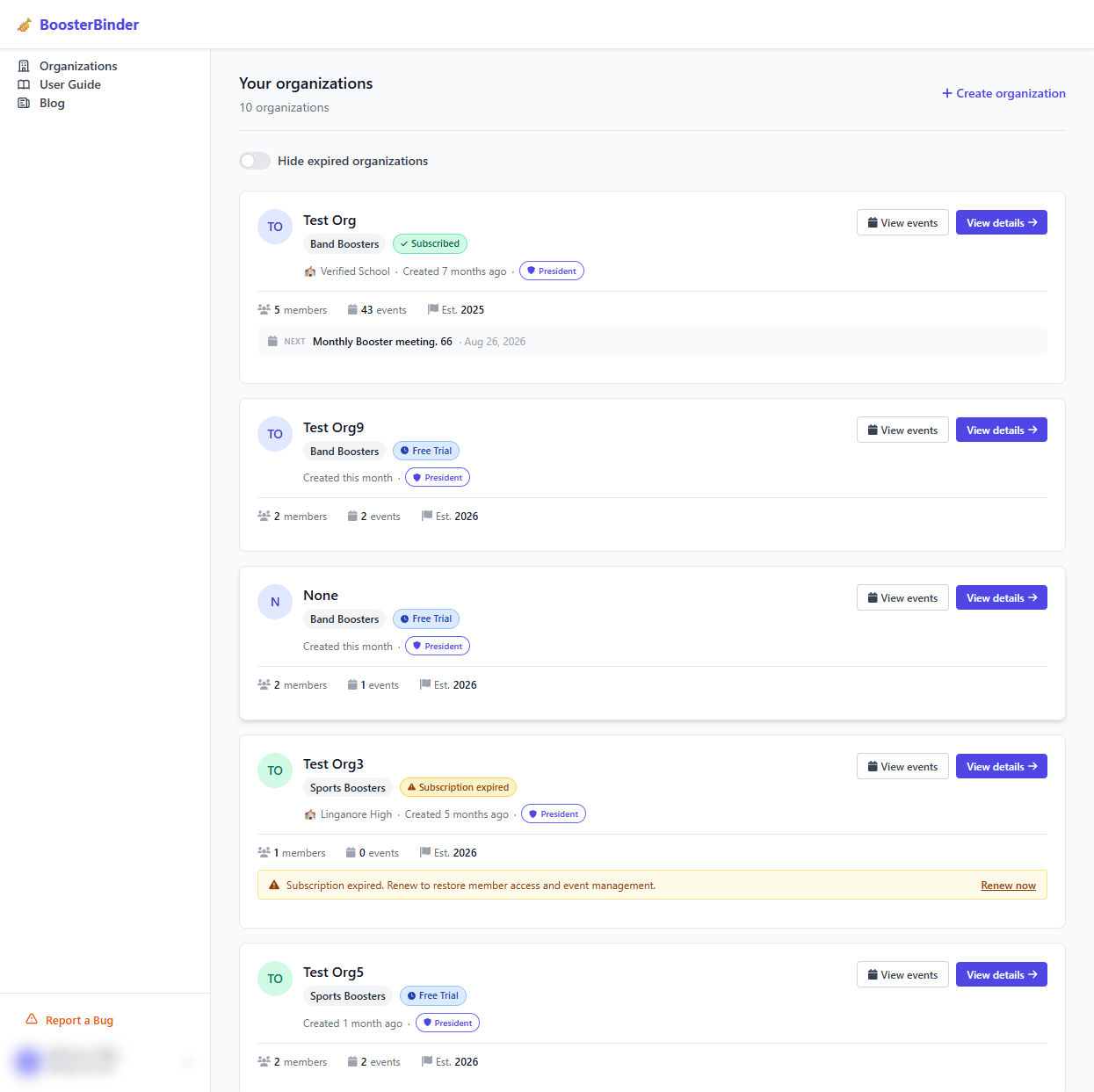
When logged into BoosterBinder, the Organization Management Hub serves as your main directory. Here, members and leaders can view all organizations they belong to, switch active clubs, create new booster groups, and verify subscription statuses.
- Multi-Org Switching: Toggle between Band Boosters, Sports Boosters, or Drama Clubs seamlessly.
- Role Badges: View your assigned leadership tier (President, Event Coordinator, Member).
- Status Alerts: Track active subscriptions, trial days remaining, or renewal notices.
🔍 Click image to enlarge
🔍 Click image to enlarge
Organization Dashboard & Operations
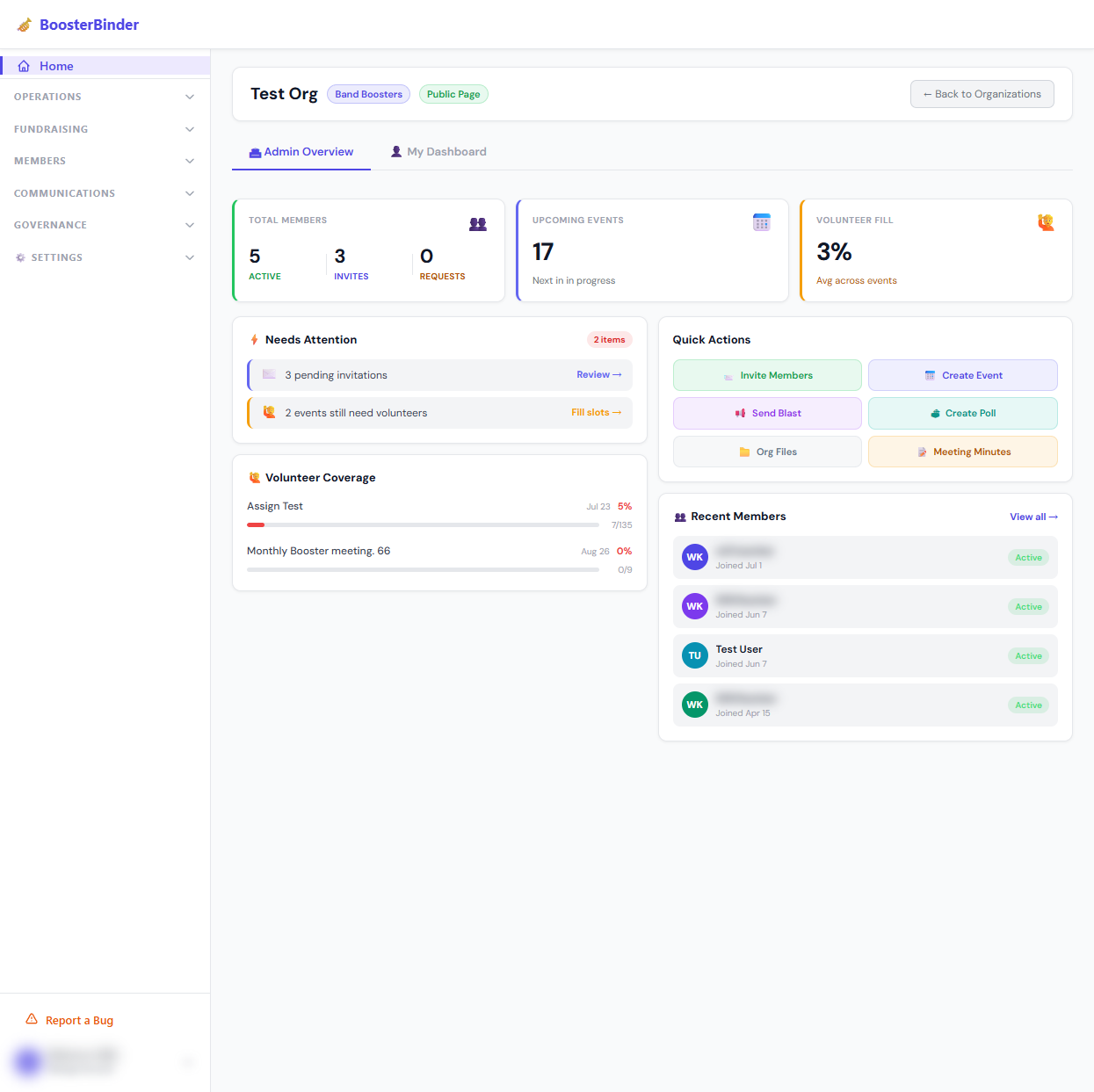
The Organization Dashboard delivers a consolidated high-level summary of your club's operational metrics, volunteer engagement, upcoming events, and actionable tasks.
- Quick Actions: Invite members, dispatch mass emails, create polls, and record meeting minutes with one click.
- Volunteer Fill Rate: Real-time percentage indicator tracking overall shift fulfillment across all scheduled shows.
Events & Calendar Management
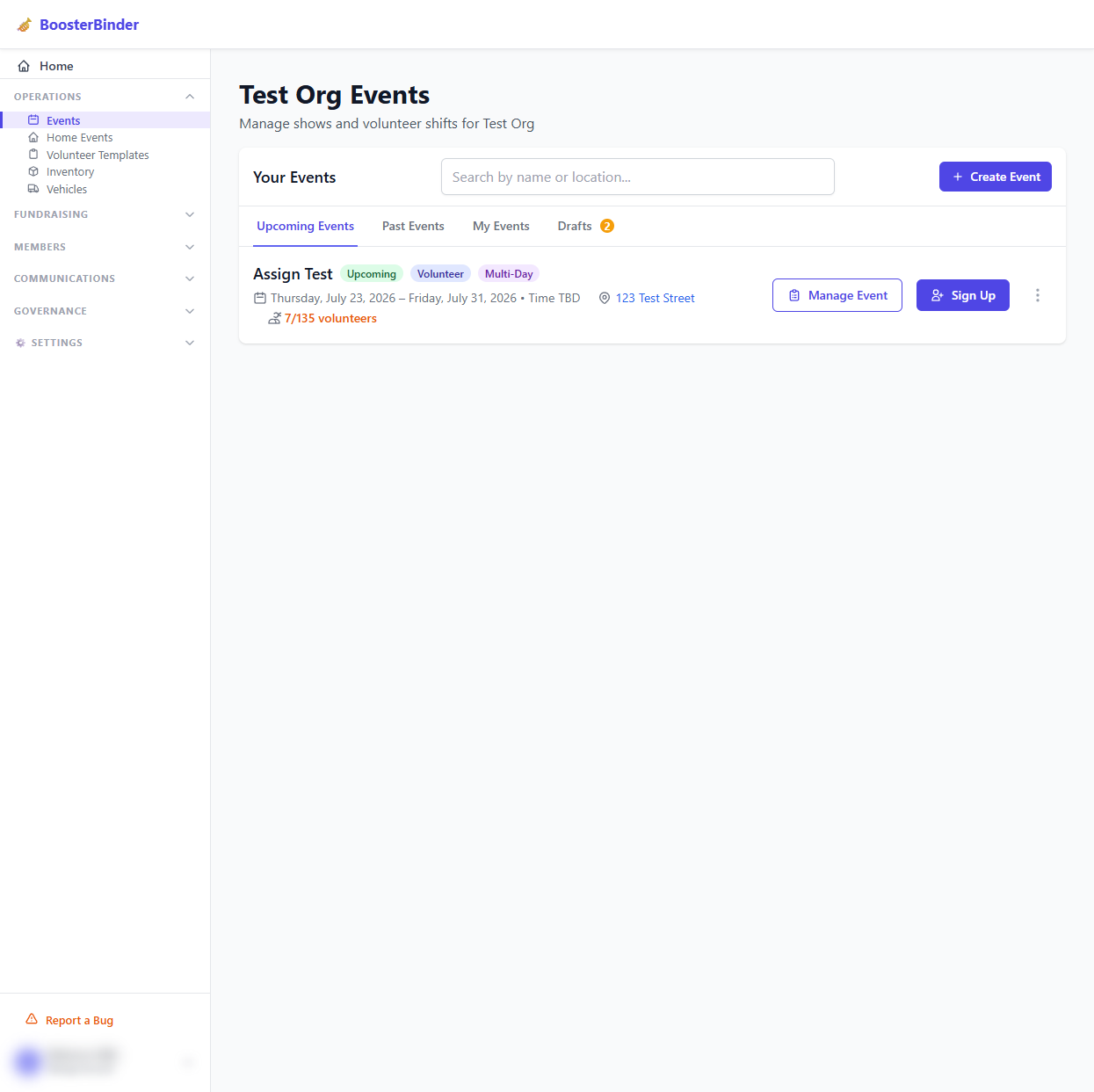
The Events Management screen organizes all past, present, and draft events. Event Coordinators and Presidents can schedule new shows, set dates, specify locations, and view total volunteer signup ratios.
- Filtered Navigation: Tabbed views for Upcoming Events, Past Events, My Events, and Drafts.
- Direct Sign Ups: Members can click "Sign Up" directly from any event card to select their preferred shift.
- Coordinator Controls: Authorized leaders gain access to the "Manage Event" suite directly from cards.
🔍 Click image to enlarge
🔍 Click image to enlarge
Volunteer Slots & Shift Assignment
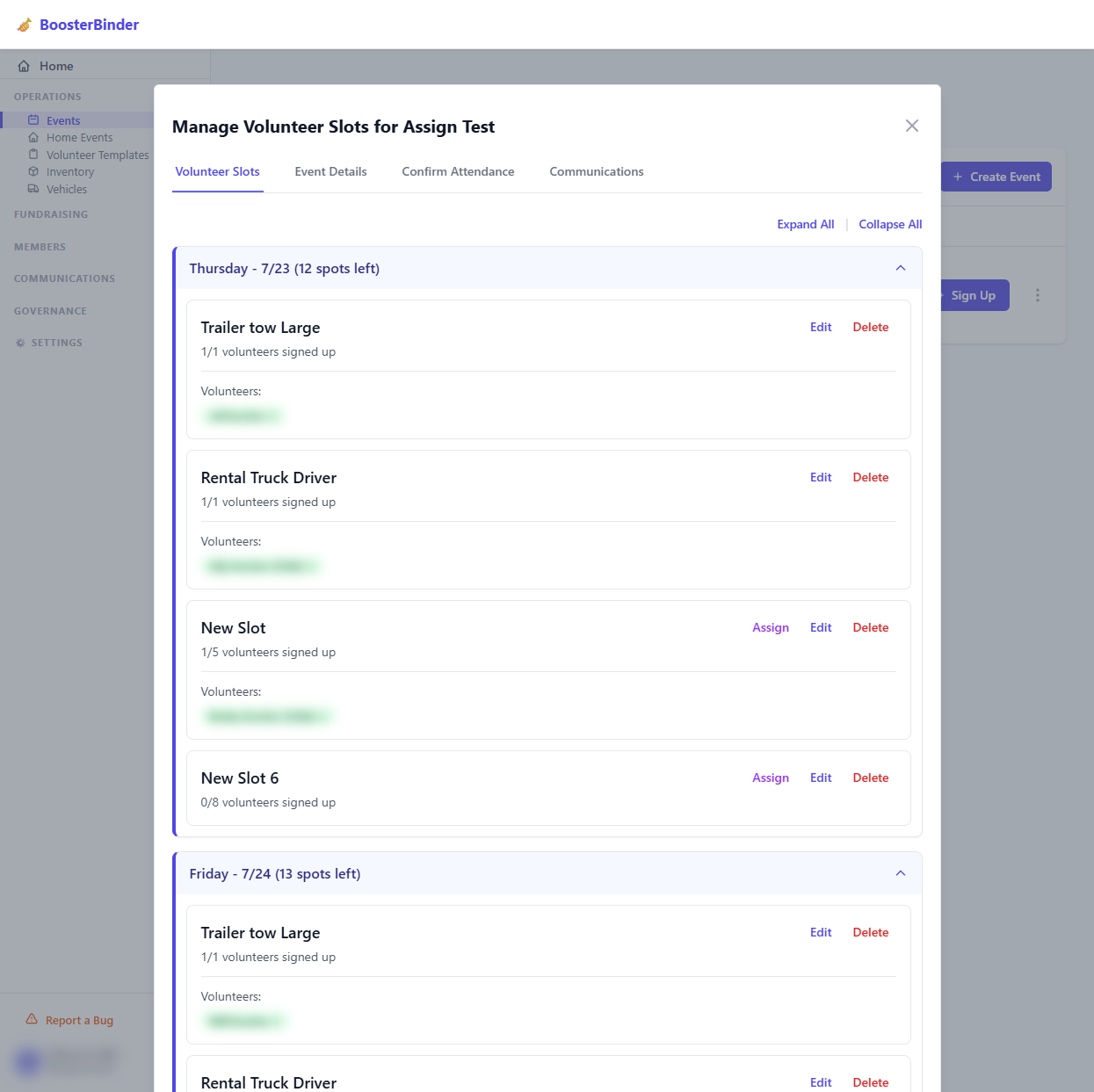
The Manage Volunteer Slots dialog allows Event Coordinators and admins to customize multi-day event roles, assign volunteers, edit slot limits, and monitor filled vs. remaining slots.
- Day Grouping: Organizes multi-day festivals into day-by-day collapsible accordions.
- Manual Assignment: Coordinators can directly insert or remove volunteers from any slot.
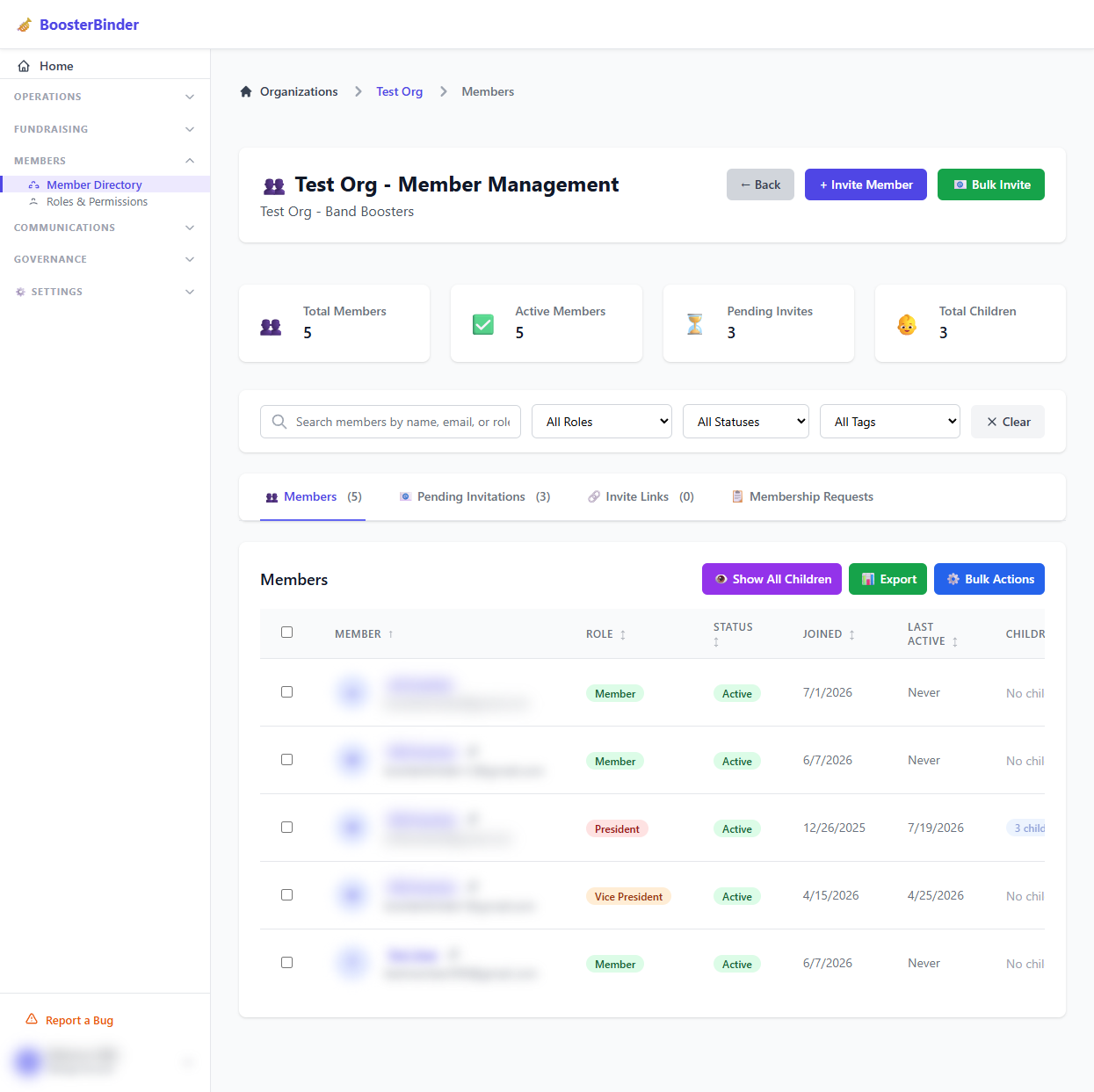
Member Directory & Invitation Management
Manage your organization's entire roster from the Member Directory. Track active adult members, associated child profiles, pending email invitations, reusable join links, and membership approval requests.
- Bulk Invitations: Invite parents and volunteers via email CSV upload or single email dispatch.
- Resend History: Monitor invitation delivery status and resend tokens whenever necessary.
- Child Profiles: View linked student profiles associated with each parent account.
🔍 Click image to enlarge
🔍 Click image to enlarge
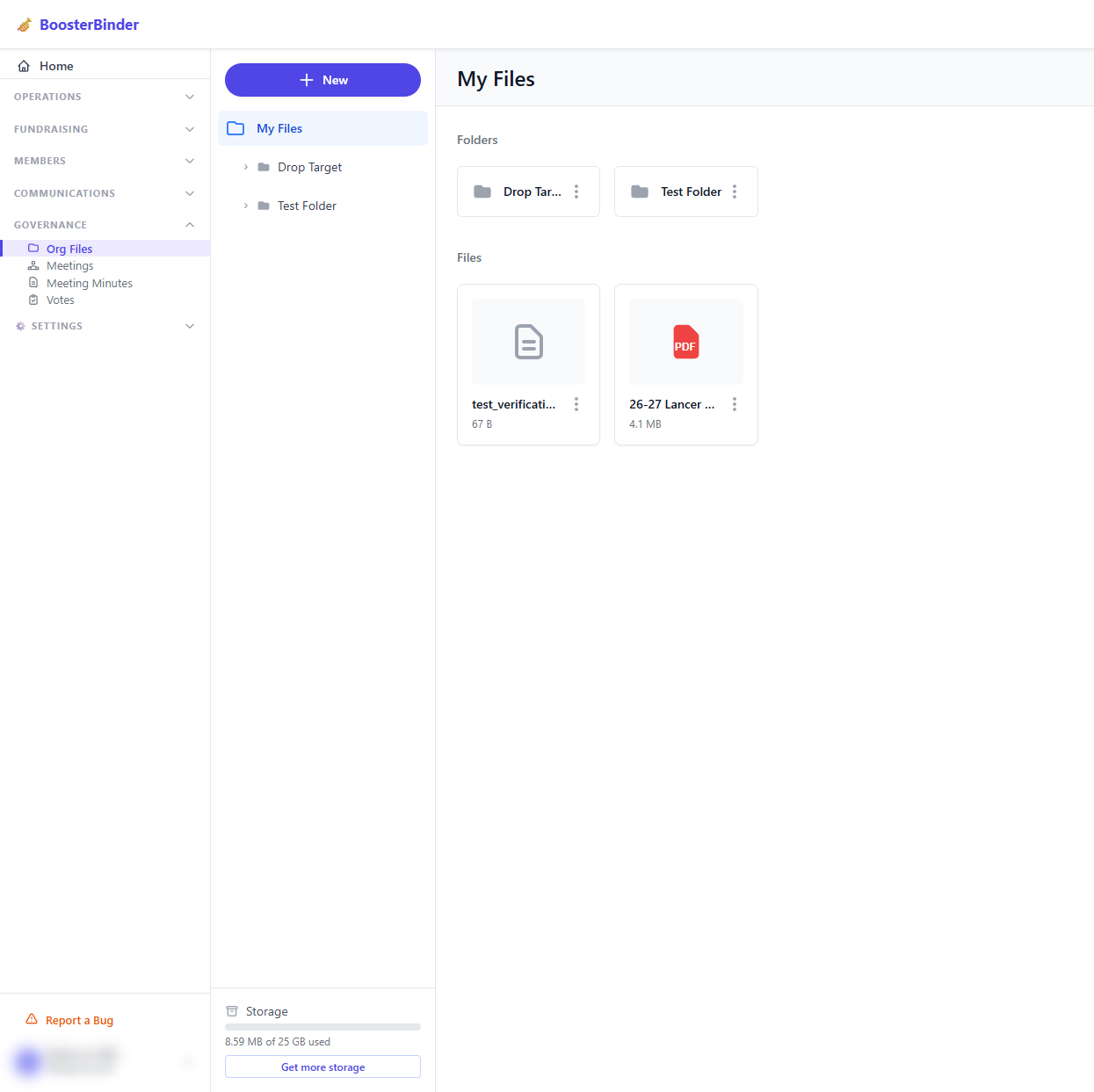
Org Files & Cloud Storage Drive
Store show programs, bylaws, fundraising fliers, budget spreadsheets, and media safely inside the Organization File Drive powered by Azure Blob Storage.
- Folder Hierarchy: Create custom subfolders to organize materials by school year or committee.
- Quota Monitoring: Real-time storage meter tracking consumed space (e.g., 25 GB tier).
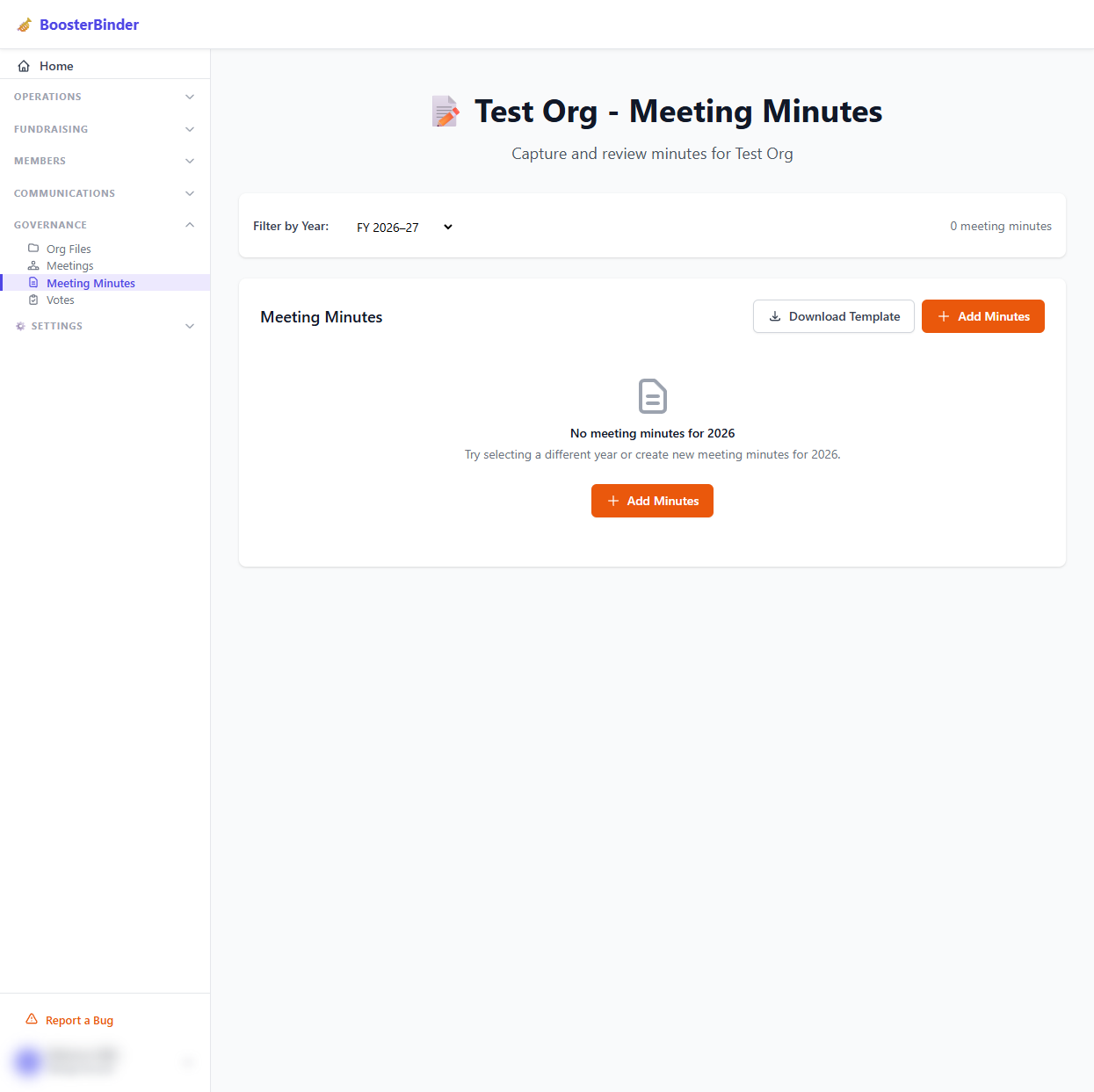
Meetings & Official Meeting Minutes
Maintain transparent board governance with the Meeting Minutes tool. Log monthly booster board meeting notes, attach documents, filter records by Fiscal Year, and download standard meeting templates.
- Fiscal Year Filtering: Archival filtering by academic/fiscal year (e.g., FY 2026–27).
- Template Downloads: One-click download for standard booster meeting agenda & minutes templates.
🔍 Click image to enlarge
🔍 Click image to enlarge
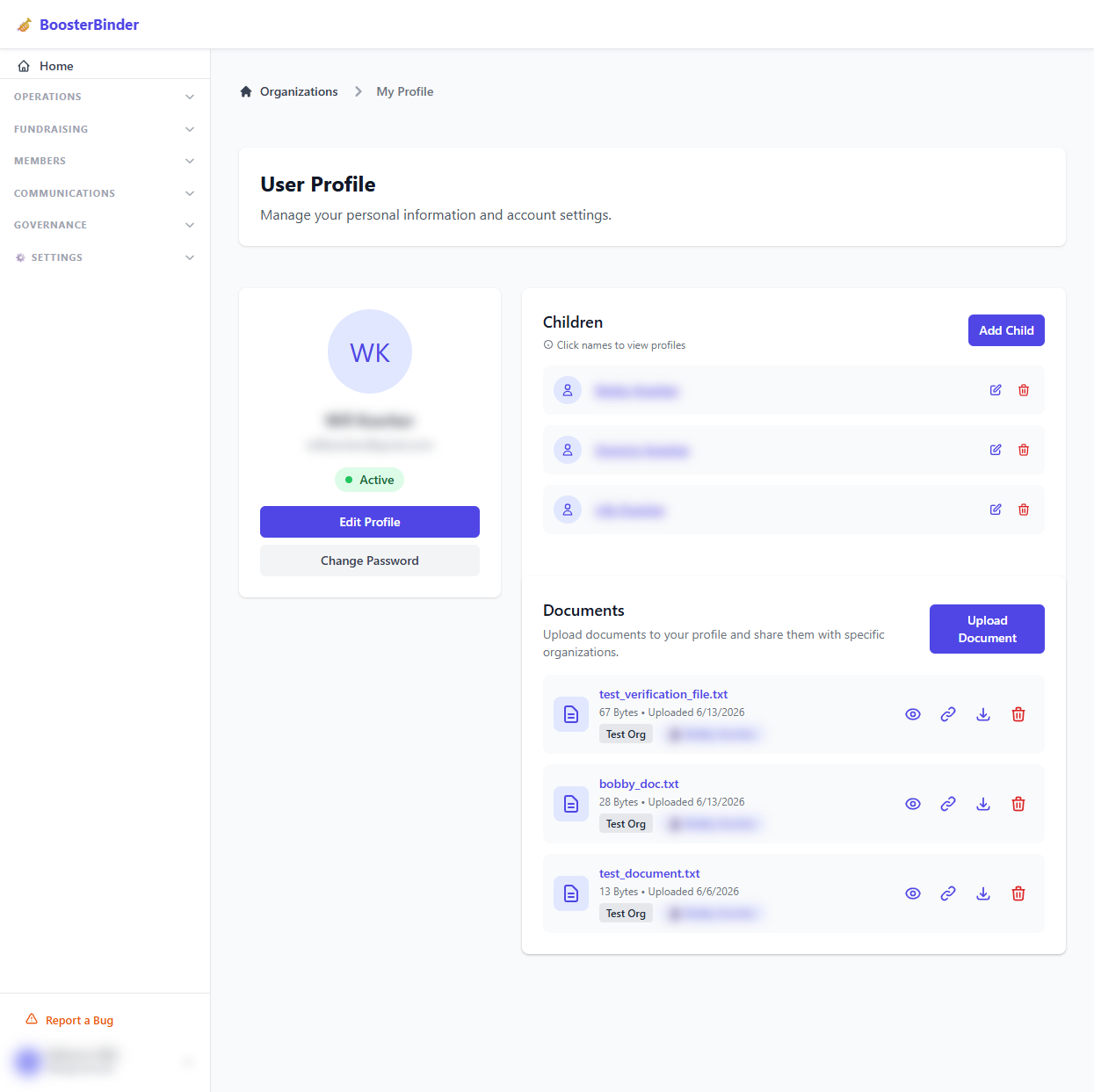
User Profile & Dependent Management
The User Profile page allows members to update personal details, change security passwords, and manage linked student/children profiles used during volunteer signups.
- Children Profiles: Add, edit, or remove dependent student records.
- Account Security: Change password and security preferences.
Ready to Manage Your Booster Club?
Jump straight into your organization hub to start managing events, volunteers, and communications.